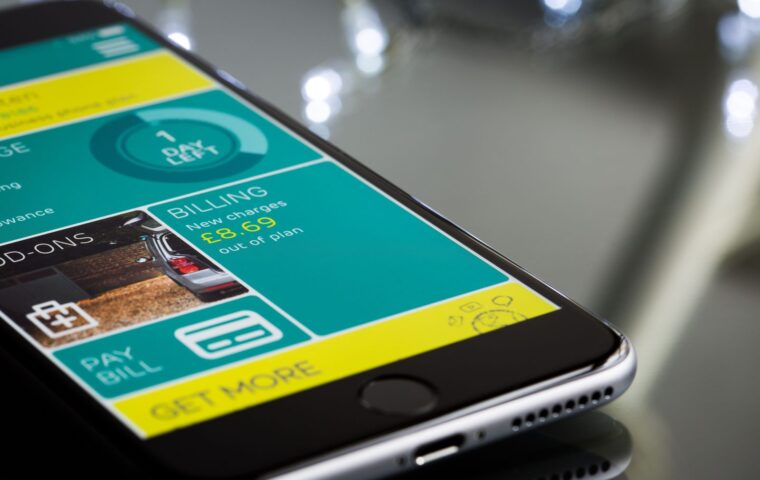

Somewhere outside Tbilisi a few winters ago, I watched a guy at the next table pay roughly triple what I did for the same marshrutka ride into the mountains, because he flagged down a driver cold and I’d checked a transit app first. Same minibus. Same potholes. Different price.
That little gap is the whole story of this post. I’m not interested in apps that promise to make you rich or hand you a “secret” loophole. I want the boring, reliable ones that trim a few dollars off the stuff you do every day, eating, getting around, paying, splitting a bill. None will change your life, but stacked over a two-week trip they’ve saved me enough for an extra few nights more times than I can count.
Here are the nine I genuinely keep installed, why they earn a slot on my home screen, and the one trap to avoid with each.
1. A real-time transit app (Citymapper or Moovit)
The single fastest way to overpay in a new city is to default to a taxi or rideshare because you don’t trust the buses. A transit app kills that instinct. It shows you the metro line, the night bus, the tram you didn’t know existed, and what each costs.
In cities they cover well, Citymapper even tells you which carriage to board for the fastest exit. Where it’s thin, Moovit’s crowdsourced data usually fills the gap. The saving per trip is small, maybe a couple of dollars versus a cab, but you make that choice six times a day.
2. Your bank’s own app, used properly
This sounds too obvious to list, and that’s exactly why people skip it. A good travel-friendly banking app does two quiet things: it shows you the real exchange rate you’re getting, and it lets you freeze the card the instant it goes missing.
I once spotted a sneaky markup on a hotel pre-authorisation only because the app pinged me the converted amount in real time, and I asked the desk to re-run it. The card machine’s “pay in your home currency?” prompt is its own racket, and it’s worth understanding why paying in local currency almost always beats your home currency before you tap a terminal abroad.
Turn on instant transaction notifications and enable travel mode while you’re still on home Wi-Fi. Doing it from a patchy café connection in week two is how people lock themselves out.
3. Maps.me or Google Maps offline
Getting lost is expensive. You take the wrong bus, you give up and grab a taxi, you waste an afternoon you paid for. Downloading the map of your city or region before you arrive fixes most of that for free.
I lean on Maps.me for hiking and rural areas where its offline detail is better, and Google Maps offline for cities, where transit and business hours matter more. Either way, download the area the night before, not while scrambling for signal at the airport.
4. Too Good To Go (and its cousins)
This is the one I get the most thank-you messages about. Too Good To Go sells “surprise bags” of unsold food from bakeries, cafés and restaurants at the end of the day, usually for around a third of the normal price. In food-led cities across Europe it’s everywhere.
I’ve picked up a bag from a Lisbon bakery for a couple of euros that turned out to be four pastéis de nata and half a loaf. The catch is the pickup window: it’s fixed and often awkward, so don’t book one if you’ll be across town at a museum.
5. A bill-splitting app (Splitwise)
Money disagreements ruin more group trips than bad weather. The person who fronted cash for the apartment quietly resents everyone; nobody remembers who covered the taxis. Splitwise tracks it line by line and tells you who owes what at the end.
It doesn’t save money directly. What it saves is the friendship-fraying argument on the last night, and the real risk that you eat a shared cost because settling up felt too petty to raise.
6. A price-comparison app for groceries and pharmacies
If you’re staying somewhere with a kitchen, even for a few nights, cooking two meals instead of eating out is the biggest lever on your daily spend. The wrinkle is that you don’t know which supermarket is the cheap one yet.
In a lot of countries the discount chains, Mercadona, Lidl, Biedronka, are obvious once someone tells you, but a quick map search for the budget brand saves you from the tourist-priced mini-market by the station. The same logic applies to pharmacies, where identical sunscreen swings wildly in price.
7. An eSIM app (Airalo or your carrier’s travel plan)
Roaming bills are the cruellest kind of travel expense because you don’t see them coming until you’re home. An eSIM app lets you buy a local data package before you land and switch to it on arrival, no plastic SIM, no hunting for a phone shop.
I treat data as a tool that pays for itself: the transit apps, the offline maps, the price checks above all need a little connectivity to work. A few dollars of data switches on the savings everywhere else.
For a short city break, an eSIM is usually cheapest. For a month in one country, a physical local SIM from a real shop often wins. Don’t auto-default to either.
8. A flight-deal and fare-alert app
This list is mostly about money you spend once you’ve arrived, but the apps that watch airfares deserve a slot, because the flight is often the biggest line on the trip. Letting a tool monitor a route and ping you on a drop beats refreshing a booking page like it owes you money.
The good ones do the watching while you get on with your life. If you’ve never set this up, my walkthrough on setting up fare alerts that catch a drop while you sleep covers the layered approach I use so nothing slips past.
9. A simple expense tracker
The app that’s saved me the most is the least exciting: a plain expense tracker where I log what I spend each day. Seeing the number is the discipline. You stop the slow leak of “it’s only a few dollars” the moment you watch them line up in a column.
A dedicated app like TravelSpend handles multiple currencies and gives you a daily average, the number that actually matters. That’s exactly why I build the tracking in from the start when I work out how to build a trip budget you’ll actually stick to.
How to actually use these without drowning in apps
Nine apps sounds like a lot, and you don’t need all of them every trip. My rough rule: always install the bank app, an offline map, a transit app and an expense tracker. Add the rest to fit, Too Good To Go for a food city, Splitwise for a group, an eSIM where roaming is brutal. Set them up at home, on good Wi-Fi, the week before you go.
Do these apps work offline, or do I need data the whole time?
It’s a mix. Offline maps and your expense tracker work with no signal once they’re set up. Transit times, food deals and price checks all need a little data, which is why an eSIM or local SIM is on the list, it makes the others usable.
Aren’t some of these just free trials that start charging you?
A few offer paid tiers, but the core function of nearly everything here is genuinely free. Check before you commit, and turn off any auto-renewing subscription you accidentally start. If an app’s only real value is behind a paywall, skip it, plenty of free alternatives exist.
Is it worth installing all nine for a short weekend trip?
No. For a two- or three-day break I’d grab an offline map, a transit app and my bank app, and call it done. The bigger the trip and the longer you’re cooking, splitting costs or hopping cities, the more the others earn their place.
None of this is about being a cheapskate. It’s about not handing money to a taxi, a card machine or a tourist mini-market because you didn’t check. Get four of these set up before your next trip and let them do the quiet work. You’ll feel it around day ten, when you realise there’s still budget left.